Your prompts shouldn't vanish in thin air. OpenBBox traces every command and code change across all major AI IDEs, turning your development history into a reusable asset.
Designed for the era of AI-directed development.
Every prompt is captured as a "Genetic Code". Never lose the creative thinking behind your complex code structures. Your instructions are your most valuable asset.
Visualize how your project grows. Link every single prompt to its specific code diff and AI reasoning. See the causal chain from intent to implementation.
Extract your high-quality prompt sequences. Export as Markdown scripts or JSON blueprints. Replicate successful architectures in new projects with a single click.
From Cursor to Claude Code CLI. OpenBBox unifies all your AI interactions into one single source of truth. Switch IDEs freely — your history follows you.
All data stays on your local machine. OpenBBox never uploads your code or prompts to any server. Your intellectual property remains yours.
Generate a clean, ordered "Director's Script" — your complete prompt sequence stripped of AI noise. Copy it, share it, or replay it in a new project.
Real screenshots from the OpenBBox workspace.
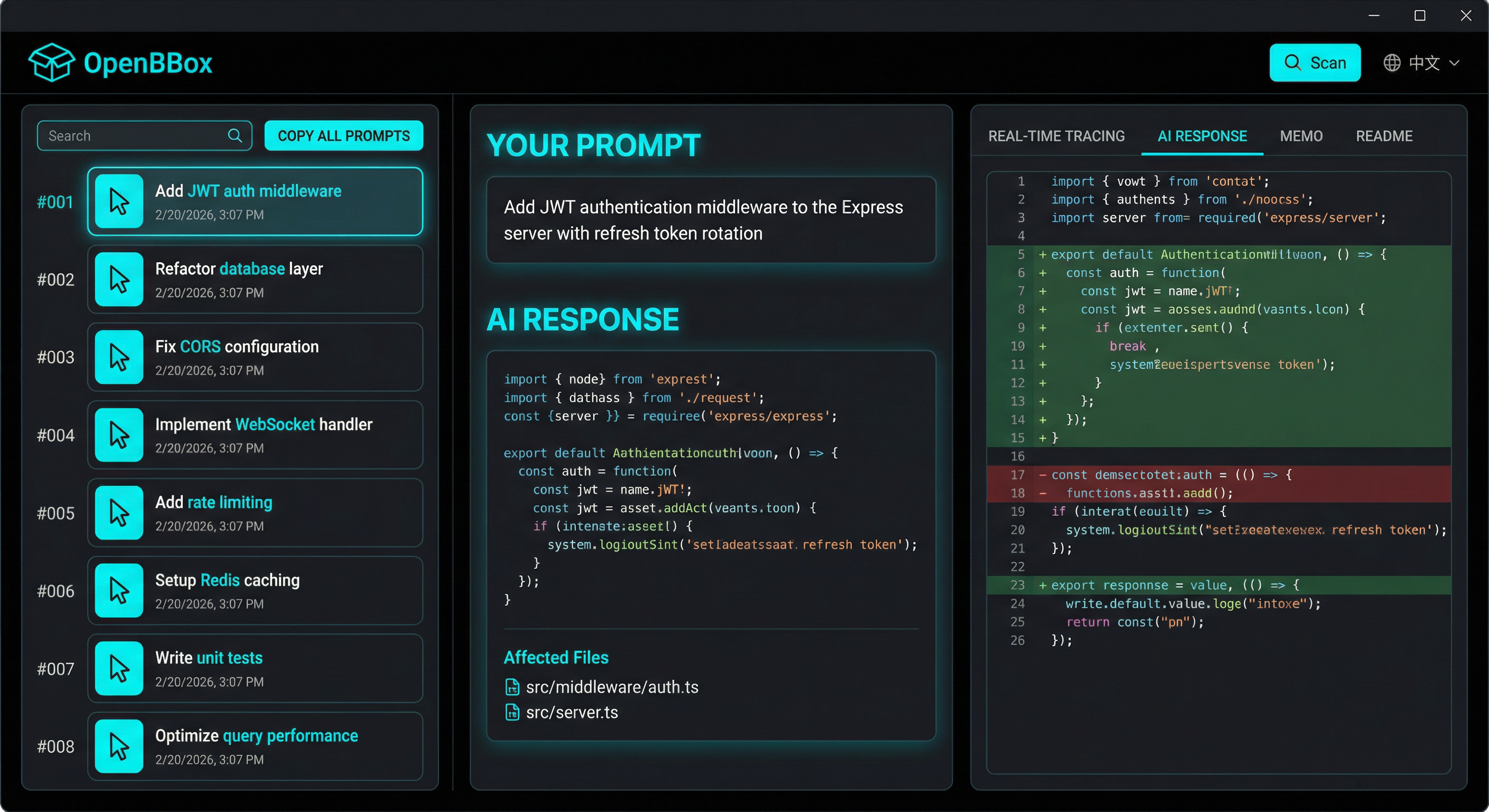
The Three-Column Workspace: Prompt list → AI response → Code diff with line numbers
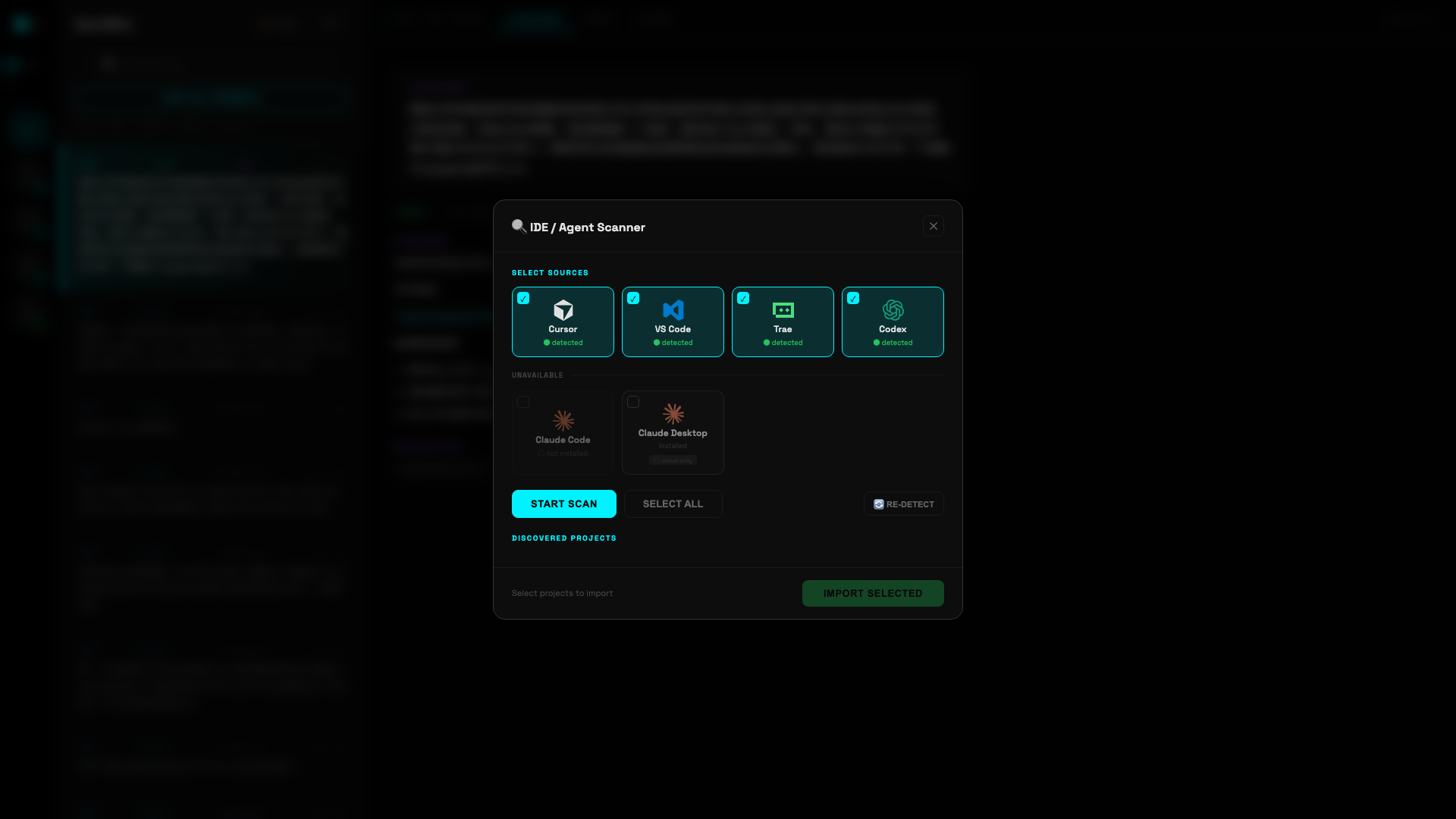
IDE Scanner: Auto-detects Cursor, VS Code, Trae, Codex and more on your machine
Three steps. Zero configuration.
OpenBBox runs as a background service, auto-detecting conversation logs from Cursor, VS Code, Kiro, Trae, Claude Code and more.
The matching engine links each prompt to the code changes that happened within 60 seconds, building the causal chain automatically.
Open the three-column workspace. Left: your projects. Center: your prompt DNA. Right: AI responses and code diffs. Scroll-linked and copy-ready.
See how developers use OpenBBox to preserve their AI-driven workflows.
A developer used 47 prompts in Cursor to build a complete SaaS backend. OpenBBox captured the entire sequence, enabling them to replicate the architecture for a second product in 30 minutes.
Kiro stores only placeholder responses in session files. OpenBBox reverse-engineered the Q Chat API logs to recover full AI responses — turning 6-char "On it." into 300-700 char complete answers.
VS Code Copilot Chat uses incremental updates (init/patch/replace). OpenBBox rebuilds the full session state, extracting complete AI responses from 10+ conversations that were previously fragmented.
Claude Code runs in the terminal with no visual history. OpenBBox transformed 120+ CLI interactions into a visual timeline, revealing an architectural drift that was caught and corrected.
A team started in Trae, then switched to Cursor mid-project. OpenBBox maintained a unified timeline across both IDEs, preserving the complete decision history.
A senior developer exported their "Director's Script" for a microservice architecture. Junior developers imported it and replicated the same quality in their own projects.
OpenBBox is 100% local. Your code, your prompts, your intellectual property — nothing ever leaves your machine. All data is stored in a local SQLite database under your control.
Different OS, Python version, or environment? Don't debug manually. Just open the project in your AI IDE and paste a prompt — your AI assistant will handle the rest.
"Read the OpenBBox README, install dependencies, fix any issues, and start the server on port 9966."
"OpenBBox can't find my IDE data. I use [Cursor/VS Code/Kiro]. Check adapter paths and debug."
"OpenBBox server failed with: [paste error]. Diagnose and fix it."
"Set up OpenBBox end-to-end: environment, dependencies, server, scan all IDEs, report results."
30 seconds to install. Zero configuration needed.